Download Physics Toolbox Sensor Suite free on android
APK file Physics Toolbox Suite 2026.09.23How to install APK / APKS / OBB file on Android
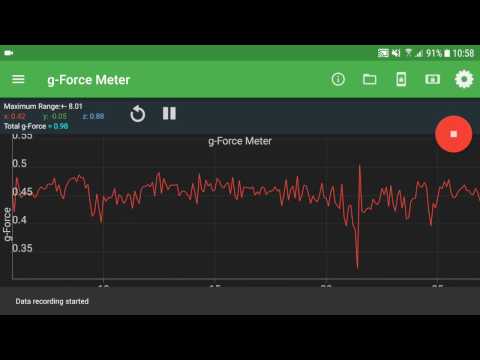

Turn your phone into a powerful sensor lab. This app uses your smartphone’s built-in sensors to collect, display, record, and export CSV data for analysis. Ideal for physics, engineering, and STEM experiments in classrooms, labs, and fieldwork.
Visit www.vieyrasoftware.net to explore case studies and lesson plans for educators and researchers.
⸻
KINEMATICS
• G-Force Meter: Ratio of Fn/Fg (x, y, z, and/or total)
• Linear Accelerometer: Acceleration in x, y, z axes
• Gyroscope: Radial velocity (x, y, z)
• Inclinometer: Azimuth, roll, pitch
• Protractor: Angle from vertical or horizontal
ACOUSTICS
• Sound Meter: Sound intensity
• Tone Detector: Frequency and musical tone
• Tone Generator: Sound frequency output
• Oscilloscope: Wave shape and amplitude
• Spectrum Analyzer: Graphical FFT
• Spectrogram: Waterfall FFT
LIGHT
• Light Meter: Light intensity
• Color Detector: HEX color detection via camera
• Color Generator: R/G/B/Y/C/M, white, and custom colors
• Proximeter: Periodic motion and timer (timer and pendulum modes)
• Stroboscope (beta): Flash-based frequency visualization
• Wi-Fi: Signal strength monitoring
MAGNETISM
• Compass: Magnetic direction and bubble level
• Magnetometer: Magnetic field intensity (x, y, z, and/or total)
• Magna-AR: Augmented-reality magnetic vector visualization
OTHER
• Barometer: Atmospheric pressure
• Ruler: Distance measurement between two points
• GPS: Latitude, longitude, altitude, speed, direction, and satellites
• System Temperature: Battery temperature
COMBINATION
• Multi Record: Collect data from multiple sensors at once
• Dual Sensor: Display two sensor graphs in real time
• Roller Coaster Mode: Combine G-Force, Accelerometer, Gyroscope, and Barometer
PLOTTING
• Manual Data Plot: Create graphs from manually entered data
GAME
• Play Mode: Physics challenges using real sensor input
FEATURES
• Record: Capture sensor data with one tap
• Export: Save recordings as CSV data for analysis or sharing
• Sensor Info: Learn sensor name, vendor, operating principle, and precision
SETTINGS
• Custom Sample Rate: Adjust data collection speed manually
• Filters: Apply low-pass, mean average, or Kalman filters to smooth data
• Data Display: View results as graphs, vectors, or digital readings
• Graph Display: Choose combined or separate plots for multi-axis data
• Axis Selection: Display total, x, y, and/or z data
• Timestamp Format: Record clock or elapsed time
• Line Width: Customize line thickness for graphs
• Keep Screen On: Prevent automatic sleep during experiments
• Calibration: Calibrate sensors for accuracy
Perfect for:
Physics experiments, classroom demonstrations, motion analysis, sound testing, light and color measurement, magnetic field mapping, and environmental data collection.
- LicenseFree
- File namePhysics Toolbox Suite
- File Version2026.09.23
- Package namecom.chrystianvieyra.physicstoolboxsuite
- UploadedSeptember 25, 2026

- CategoryTools
- DeveloperVieyra Software
- Developer sitehttp://www.vieyrasoftware.net/
- Developer emailsupport@vieyrasoftware.net
- Permissionsshow (19)
